Element Hub icon MELLON · ELEMENT HUB

All MELLON software,
from one place.

Element Hub shows every MELLON app, which ones you already have, and what is new. Download, open or update each one with a click.

Free test version · macOS 11 or later · Apple silicon & Intel

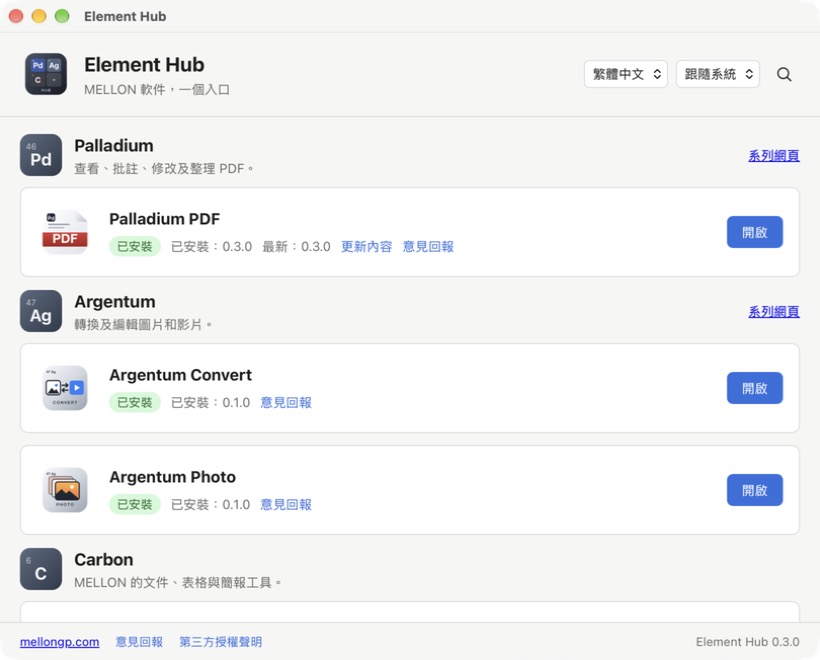
Element Hub listing Palladium PDF and two Argentum apps, each with its installed version and an Open button

App

The launcher for the whole MELLON family.

Element Hub

Element Hub

Launcher

Shows every MELLON app, which ones you have and what is new. Download, install, open or update each one with a click. It replaces Palladium Hub and Carbon Hub.

macOS 11+ · Apple silicon & Intel Windows: planned Free test version

What Element Hub does

A small launcher that keeps the whole family in one list.

Everything in one list

Palladium, Argentum and Carbon apps are grouped by series, with short descriptions.

One-click install and update

Download, check and install in one step. The old version goes to the Trash.

What is new

Read what changed in the latest version, and the history of earlier ones, before you update.

Always current

The list is read from mellongp.com, so new apps and versions appear without updating the Hub.

Checked downloads

Every download is checked against its SHA-256 checksum before it is installed.

Updates itself

Element Hub can update itself and asks you to restart when it is done.

Feedback in one click

Send an email with the app name, versions and system details already filled in.

Light, dark and three languages

Follows your Mac's appearance, in English, 繁體中文 and 简体中文.
Official downloads

Every download comes from MELLON's own release pages.

Three languages

Interface in English, 繁體中文 and 简体中文, light or dark.

No account

Nothing to sign in to. The Hub does not collect your files.

A look inside

Every MELLON app, with its version and a button that fits.

Element Hub listing Palladium PDF and two Argentum apps, each with its installed version and an Open button
Apps grouped by series, with installed and latest versions.
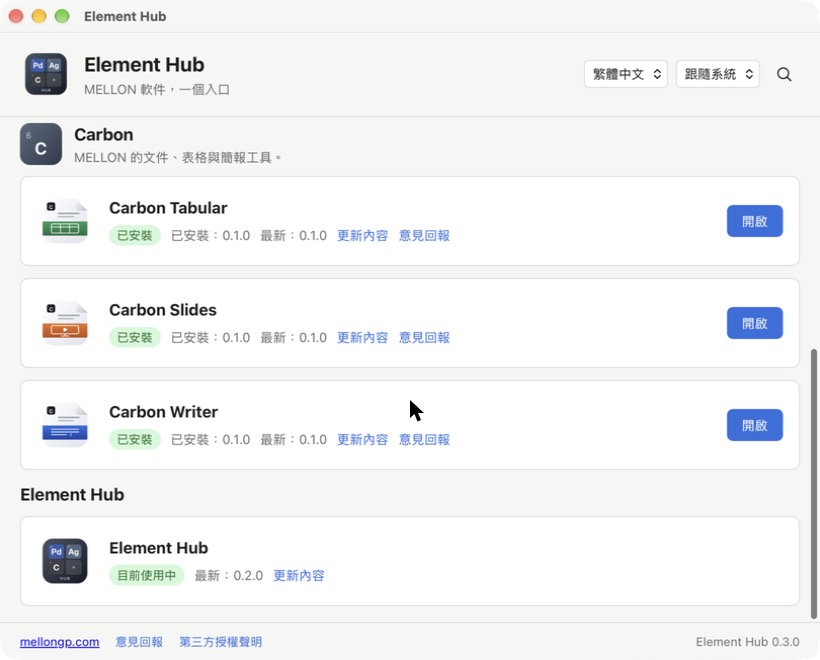
Element Hub listing Carbon Tabular, Carbon Slides, Carbon Writer and Element Hub itself
What's new and feedback links sit next to each app.

Download

Element Hub is in free testing. It replaces Carbon Hub and works with every MELLON series.

Element Hub

Element Hub

Test version coming soon

Email us to join the test list

Installing a test version

  1. 1

    Open the downloaded .dmg and drag the app into Applications.

  2. 2

    Control-click the app, choose Open, then click Open again.

  3. 3

    If macOS still blocks it, go to System Settings → Privacy & Security and click Open Anyway.

Test versions are not yet notarised by Apple, which is why macOS asks you to confirm. You only need to do this once for each app.

Requirements

  • macOS 11 Big Sur or later
  • Apple silicon (M1 and later) or an Intel Mac
  • About 150 MB of disk space

Questions

Do I need Element Hub to use MELLON apps?

No. Each app works on its own. The Hub is just the easiest way to find, download and update them.

What about Carbon Hub or Palladium Hub?

Element Hub replaces them. You can delete the older hubs; your apps and files are not affected.

Is it free?

Yes. It is free to download and use. Feedback is welcome at hello@mellongp.com.

Is there a Windows version?

The Mac version comes first. Windows is planned later.